Run the whole show
from one screen.
Drive every camera in the building, whatever badge is on it. Record up to twelve channels in step, patch the router, switch and stream the programme, and run a camera script, all from one Mac.
One controller.
Every camera.
Buy a Panasonic camera and you buy a Panasonic controller. Add a Sony and a second panel arrives, then a third for the next brand, and none of them talk to each other.
Point the panel you already own at the Mac and it drives whichever camera Vantera has selected, so a Panasonic AW-RP150 can move a Sony FR7 or a PTZOptics without anyone swapping desks.
If they can hold a games controller, they can run your cameras
Plug in a PlayStation or Xbox controller and start driving. Thumbstick pans and tilts, triggers zoom, the face buttons jump to your presets. Most volunteers are comfortable inside a minute, because the layout is already second nature.
Prefer a proper joystick panel, an ATEM panel, a Stream Deck, the keyboard or the on-screen stick? All of them work at the same time, and whoever touched a control last is the one in charge.
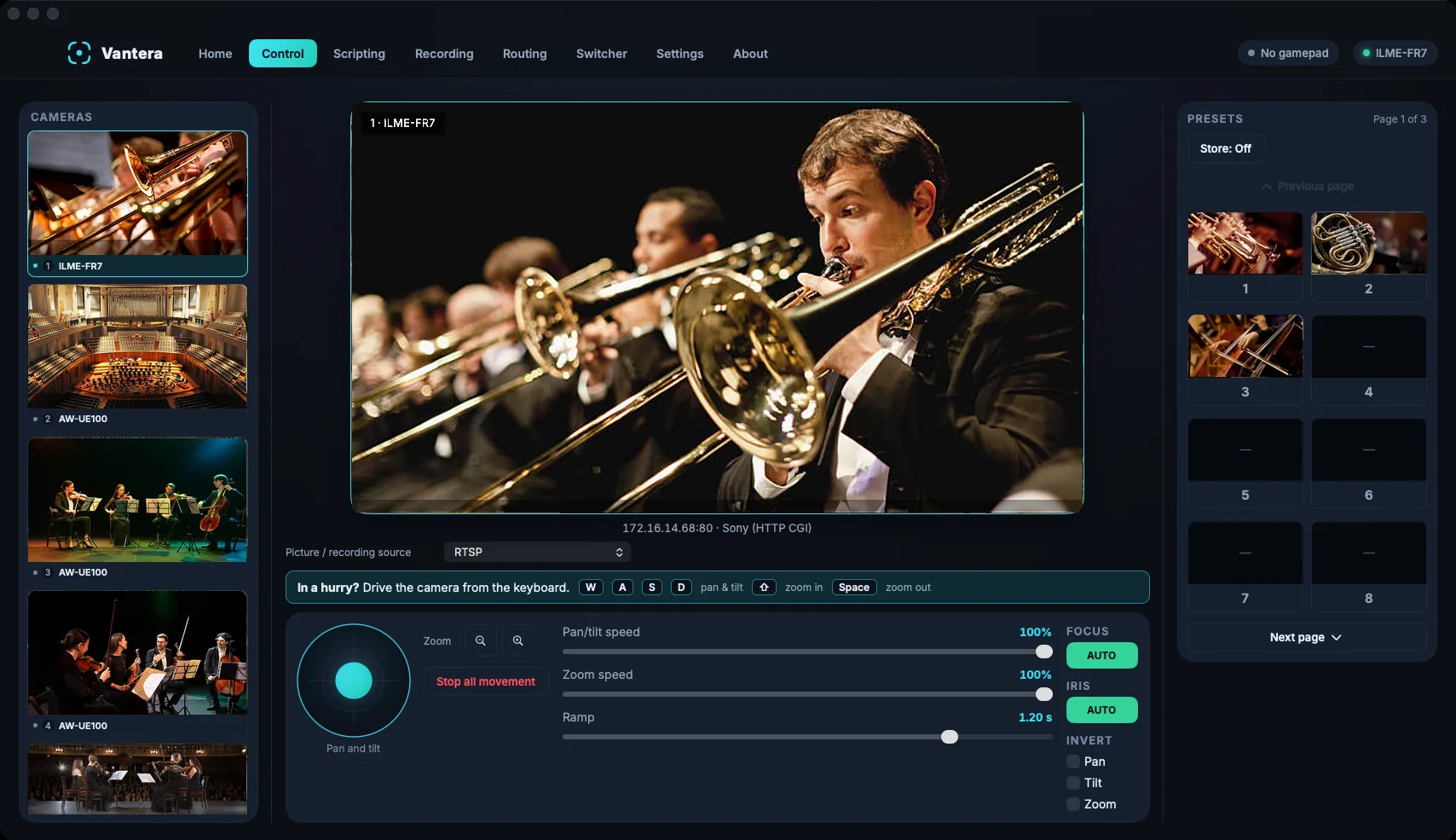
Five jobs. One application.
Most venues buy these as separate products and spend every show tabbing between them. In Vantera they're five pages of the same app, sharing one camera list and one set of channel numbers, so channel 3 means the same thing wherever you are.
Every camera, one set of hands
Twelve channels that start together
Repatch without leaving your seat
A vision mixer that streams
The next shot is framed before it's called
Every camera is framed before it's called
Write the running order once, with a camera and a preset against each shot. During the show Vantera follows the switcher, Vantera's own or an ATEM, and as soon as a camera comes off air it moves to its next preset. The camera on air is never touched.
{{ step.title }}
{{ step.body }}
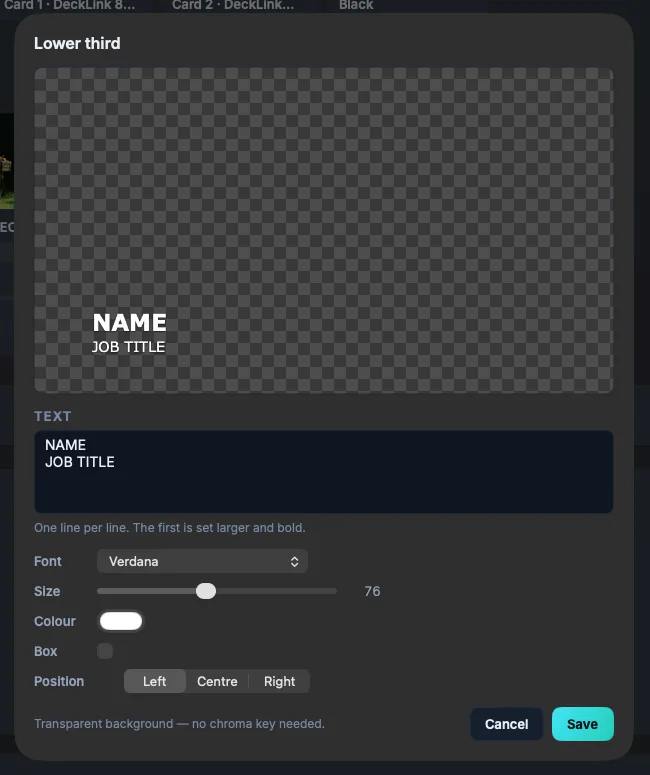
Type the name, put it on air
Type a name and job title straight into a lower third, in any font on the Mac and on as many lines as you need. It's drawn on a transparent background, so there's no key to set up, and if a name is spelt wrong you can reopen it and fix it while it's still on air.
Holding slides cover the programme before the start and in the interval, and video clips load into a slot so you can scrub to the frame you want before cutting or fading to air.
Made for the rooms that can't stop
Sunday morning, a graduation, a sold-out recital. The show goes on whatever happens, so Vantera saves every take as it goes and reconnects the stream by itself if the network drops.
{{ venue.title }}
{{ venue.body }}
Three editions
All three include camera control with every controller and panel. Pro adds the switcher, streaming and four recording channels; Broadcast adds twelve channels, routing and Scripting. Annual licences, with a year of updates and a standby Mac included. Ask us for a quote.
Try it on your own cameras
Every feature for seven days. Recordings and streams carry a DEMO MODE watermark and the first three cameras can be driven. You don't need a card or an account.
Download the free trial